Gate, cameras and power in one app
The app opens on tabs for the Gate, the Cameras and the Electricity of your property. It runs on Android, iPhone and iPad, in portrait and in landscape.
SmartHome app · Energy
SmartHome is our app for your property: the gate, the cameras and the power supply on one screen. Its energy monitor shows the UPS that keeps your home running — live, at home and away. We plan and install the system; you sign in with your ISUPortal.com account.
What it does
The app opens on tabs for the Gate, the Cameras and the Electricity of your property. It runs on Android, iPhone and iPad, in portrait and in landscape.
Mains voltage and frequency, output voltage and frequency, the load in percent and approximate watts, battery voltage and charge, the backup time left — and the state at a glance: ON LINE, ON BATTERY or DEVICE OFF.
The backup-time estimate is a physics model that learns from every outage and follows the battery's health — its learned capacity against the nameplate. How long the UPS last ran on battery is kept and shown.
On the RSIHome desktop (macOS and Debian Linux): history charts per metric, an events feed and rules for voltage drift, low charge and runtime — and a board that shows every device of the property with a status light.
Shutdown commands are never sent: nobody on the network can switch the UPS off through our UPS node. Several computers and phones can read it at the same time.
At home the app talks to the devices directly. Away from home it goes through our own relay over HTTPS — no VPN, no port forwarding, nothing to install besides SmartHome.
How to start
Tell us about your property. Together we decide what to connect: the gate, the cameras, the UPS.
Your property gets the SmartHome installation: the gate controller, an RSIHome computer, the cameras and the UPS node.
SmartHome has no registration of its own: you create your account on ISUPortal.com and confirm your e-mail address.
We provide the app for your phones. Sign in once with e-mail and password; after that Face ID, a fingerprint or a 4-digit PIN unlocks it. The password is never stored on the phone.
From our portfolio
Beyond the app, we design home automation to order — like this project.
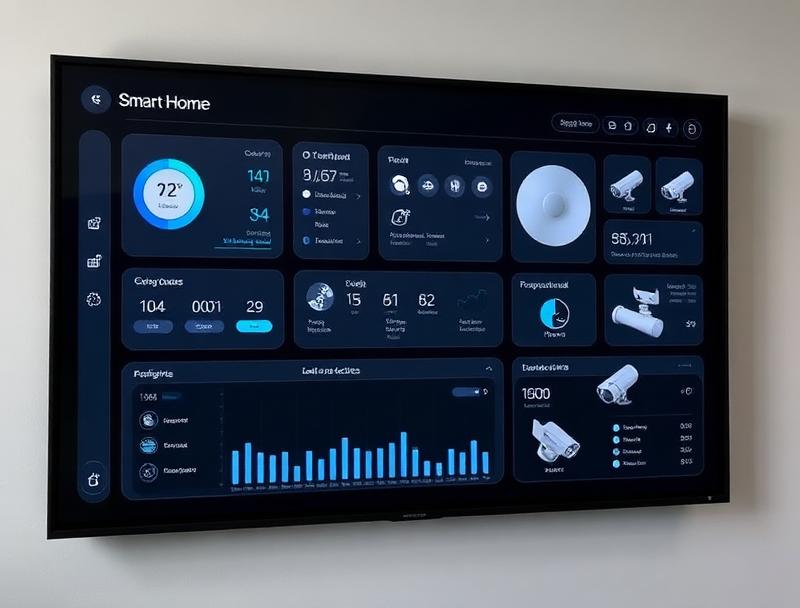
Complete home automation system with a custom touchscreen dashboard for lighting, HVAC, security, and entertainment. Integrated with more than 50 IoT sensors.
Next
Not available yet — these are the next steps we are working on.
Privacy
What the app keeps on your phone, how it uses your location for the gate alone, and how your account is deleted: it is all in the privacy policy.
Read the privacy policyTell us what you would like to see and control — we plan the installation with you.